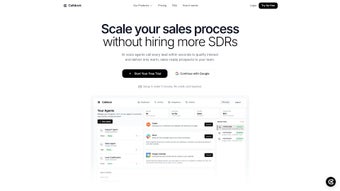

Download Calldock – AI Voice Generator for Customer Support
Overview
Calldock is an innovative AI voice generator designed to streamline every facet of customer interaction. Built as a web‑based platform, it lets businesses create custom voice agents in minutes, turning ordinary support desks into intelligent, 24/7 call centers. Whether you need instant callbacks, automated meeting scheduling, or a fraud‑reducing verification call, Calldock handles it all with a few clicks.
The solution shines through its deep brand personalization options—adjust tone, pitch, and script to match your company’s voice, ensuring that each conversation feels authentic and on‑brand. Integrated smart lead forms trigger verification calls as soon as a prospect submits their details, cutting down on bogus entries and boosting data quality. With three flexible embedding methods—a chat‑style widget, a pop‑up button, and a full‑screen modal—Calldock blends seamlessly into any website or landing page.
The platform also offers native integrations with Slack, Google Calendar, and other productivity tools, allowing voice agents to check real‑time availability and lock in appointments during a call. This combination of AI‑driven conversation, brand consistency, and workflow automation makes Calldock a compelling choice for startups, SaaS providers, and enterprises alike.
Key Features that Set Calldock Apart
- AI‑Powered Voice Generation: Create lifelike voice agents that can read custom scripts, adjust tone, and respond dynamically to user input.
- Instant Callback System: Visitors can request a callback; the AI agent initiates the call within seconds, eliminating wait times.
- 24/7 Meeting Scheduling: Voice agents access your Google Calendar in real time, propose open slots, and confirm appointments during the conversation.
- Brand‑Specific Customization: Choose voice gender, accent, speed, and even embed brand‑specific phrases to maintain a consistent brand identity.
- Smart Lead Forms with Verification Calls: Upon form submission, a verification call validates the contact information, reducing fraud and improving lead quality.
- Three Embedding Options: Chat‑style widget, pop‑up button, or full‑screen modal—each optimized for different user experiences.
- Slack Integration: Receive real‑time notifications of new calls, missed appointments, or lead verifications directly in Slack channels.
- Google Calendar Sync: Automatic two‑way sync ensures that scheduled meetings never double‑book, and availability is always up‑to‑date.
- Analytics Dashboard: Track call volume, conversion rates, and user satisfaction metrics to continuously improve performance.
- Secure Cloud Hosting: All data is encrypted at rest and in transit, complying with GDPR, CCPA, and other major privacy regulations.
Installation & Usage Instructions
Step‑by‑Step Setup
- Create Your Account: Visit the Calldock homepage, click “Sign Up,” and fill in your business email. A verification link is sent instantly—confirm to activate your account.
- Choose a Voice Template: Inside the dashboard, navigate to “Voice Library.” Browse pre‑built voices or upload a custom voice model if you have one.
- Script Your Agent: Use the built‑in script editor to write conversation flows. Insert dynamic placeholders (e.g., {{customer_name}}) that the AI will replace during calls.
- Configure Call Settings: Set callback timing, maximum call duration, and fallback options (e.g., route to a live agent if the AI cannot resolve the query).
- Integrate Calendar: Connect your Google Calendar by granting OAuth permissions. Calldock will read free/busy slots and write confirmed appointments automatically.
- Embed the Widget: Copy the generated JavaScript snippet and paste it into the
orof your website. Choose one of the three display modes—widget, pop‑up, or modal. - Test the Flow: Use the “Preview Call” button to simulate a conversation. Verify that the voice, script, and calendar sync work as expected.
- Go Live: Publish your changes. The AI voice agent is now ready to answer visitors, schedule meetings, and verify leads automatically.
Best Practices for Optimal Performance
To get the most out of Calldock, keep scripts concise—shorter sentences improve natural‑language processing and reduce misinterpretation. Regularly update your voice tone to reflect seasonal campaigns or product launches, ensuring the conversation stays relevant. Leverage the analytics dashboard weekly to spot drop‑off points and refine scripts accordingly. For high‑traffic sites, enable the “Load Balancer” option in the settings panel; this distributes call requests across multiple server instances, guaranteeing low latency even during peak hours. Finally, always test new integrations (Slack, Google Calendar) in a sandbox environment before pushing to production to avoid accidental double‑bookings or notification floods.
Compatibility, Pros & Cons
Supported Platforms: As a cloud‑based solution, Calldock works on any modern browser—Chrome, Edge, Firefox, Safari—across Windows, macOS, Linux, Android, and iOS devices. No local installation is required, making it ideal for remote teams and distributed workforces.
Pros
- Fast deployment—no coding required.
- Highly customizable voice agents that reflect brand identity.
- Real‑time Google Calendar integration eliminates scheduling conflicts.
- Smart lead verification reduces fraudulent entries.
- Seamless Slack notifications keep teams informed instantly.
- Secure, GDPR‑compliant data handling.
- Scalable architecture suitable for both small businesses and enterprise workloads.
Cons
- Advanced custom voice uploads are only available on higher‑tier plans.
- Requires stable internet connection; offline usage is not supported.
- Learning curve for complex multi‑step script flows.
- Limited native integrations beyond Slack and Google Calendar (though Zapier can bridge gaps).
Overall Rating: 4.5/5 – Calldock delivers a powerful blend of AI voice technology, brand customization, and workflow automation that can dramatically improve customer engagement and operational efficiency.
Frequently Asked Questions
Can I use Calldock on a mobile website?
Yes. Because Calldock is browser‑based, it works on mobile browsers across Android and iOS. The widget automatically adapts to screen size, providing a touch‑friendly interface.
How does Calldock verify leads?
When a visitor submits a lead form, Calldock initiates an automated verification call to the provided phone number. The AI asks a simple question (e.g., “Please press 1 to confirm your number”), and only records the lead if the response is correct.
Is there a free trial available?
Yes. Calldock offers a 14‑day free trial with access to all core features, including voice customization and calendar sync. No credit card is required to start the trial.
What security measures protect my data?
All data is encrypted both at rest (AES‑256) and in transit (TLS 1.3). Calldock complies with GDPR, CCPA, and ISO 27001 standards, and you can enable two‑factor authentication for added account security.
Can I integrate Calldock with other CRMs?
While native integrations are limited to Slack and Google Calendar, Calldock provides webhook support and a Zapier connector, allowing you to push call data into Salesforce, HubSpot, HubSpot, Pipedrive, and many other CRMs.
Conclusion & Call to Action
Calldock stands out as a comprehensive AI voice solution that not only automates outbound callbacks and meeting scheduling but also reinforces brand identity through fully customized voice agents. Its seamless integration with Google Calendar and Slack ensures that every call translates into a concrete action—whether that’s a booked appointment or a verified lead. For businesses seeking to cut down on manual outreach, reduce no‑shows, and improve data quality, Calldock offers a secure, scalable, and user‑friendly platform. Ready to transform your customer support workflow? Download Calldock now and start your free trial today.



.png)



